Troubleshooting
What to check when the device freezes or a book looks wrong.
Firmware 1.6.5-ko.11 · screens from the X3 (Korean UI)
When it freezes or loops
- Press and release the reset button, then hold power to turn it back on.
- If it freezes every time it reopens a particular book, reset and then power on while holding Back. It goes Home without reopening the book.
- From Home, clear that book's cache (see “When a book looks wrong” below) and try again.
Recovery mode
If the firmware is too broken to reach Home, hold the top side (Previous) button while powering on. Instead of booting, it shows the SD card firmware picker. The X4 Pro and X4 Classic use the bottom button. Paper Mono has no recovery mode.
Pick a .bin you copied to the SD card beforehand to install it. Files for other devices are refused. Get firmware files from the Install page.
On a working device the same picker is under Settings → System → SD Card Firmware Update.
When a book looks wrong
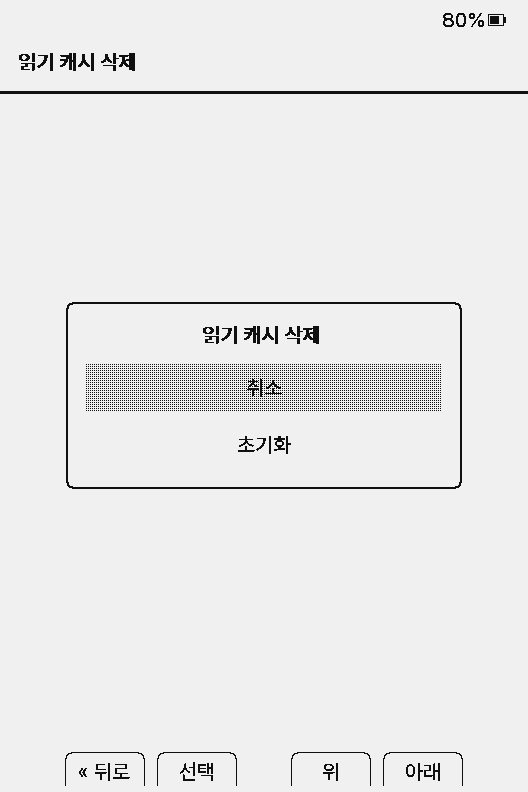
- If only one book is affected, open it and use reader menu → Delete Book Cache, then reopen it.
- If several books are affected, use Settings → System → Clear Reading Cache. This erases reading positions and reading time for every book, and each book is re-indexed when opened.
- Slow first opens right after an update are normal: 1.6.5 changed the cache format, so each book is re-indexed once.
Deleting the whole
/.crosspoint folder on the SD card wipes not only the cache but also your settings (settings.json). Use it only as a last resort.Reporting errors
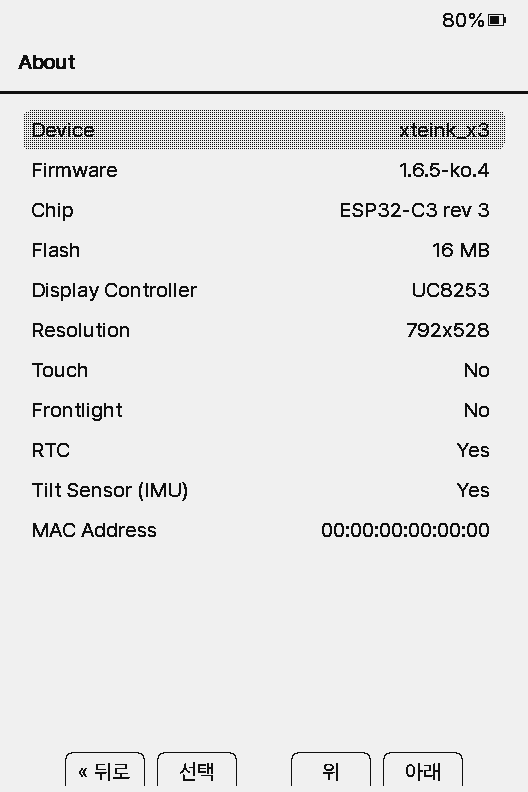
- After a crash, the next boot shows the cause on a System Crash screen and saves
crash_report.txtto the root of the SD card. - When asking for help, send that file plus the Device and Firmware values from Settings → System → About.
For more detailed logs, connect the device to a computer over USB and use a serial monitor (Serial Monitor or the command below).
pio device monitorPlease report problems on GitHub issues.