miniXWP word processor
Installing miniXWP, a word processor firmware that turns the X4 into a writing device for a Bluetooth keyboard: first start, Korean and Hanja input, menus and shortcuts, files, and switching with CrossPoint.
Firmware described: miniXWP 0.5.0 · Xteink X4
About miniXWP
miniXWP (mini X Word Processor) turns the Xteink X4 into a word processor for a Bluetooth keyboard. crosspoint-reader-ko built it on MicroSlate; the menu screen layout was modeled on the DOS-era 아래아한글 2.0. It boots into an empty document between a menu bar and a status line, ready for a Bluetooth keyboard, and saves to the SD card as .hwp (HWP 3.0 format).
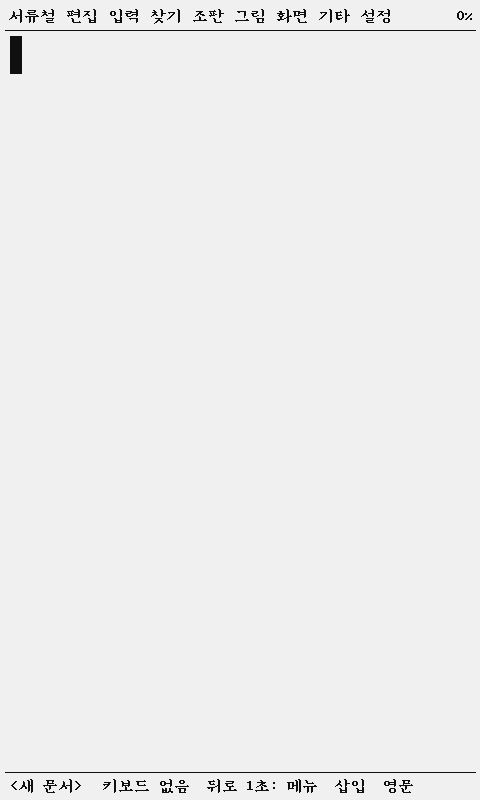
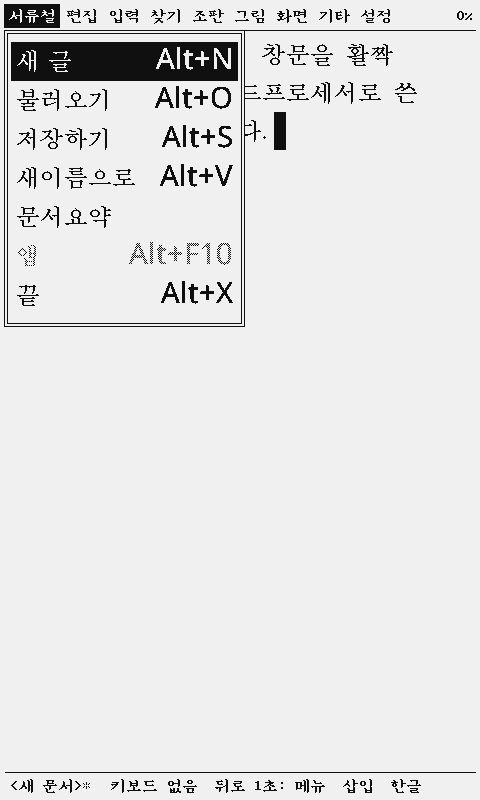
- Menu bar and shortcuts: F10 menu bar, Alt+N/O/S/V/X for files, Alt+L character shape, Alt+T paragraph shape, F3 block, F9 Hanja
- Dubeolsik Korean input (Shift+Space toggles), Hanja conversion by word or syllable, bold, italic, underline and two sizes (16/24 px)
- Page numbers, page breaks (Ctrl+J), find and replace (Ctrl+Q F / Ctrl+Q A), document summary
- Every menu and box also works from the device buttons, without a keyboard
- Dual boot with CrossPoint: switch from Home → Apps; Wi-Fi backup to a PC
Install
| Method | File | When | Device settings |
|---|---|---|---|
| Dual boot | dualboot-ko-<version>.bin | First install: CrossPoint 2.0.0-ko.1 and miniXWP together | reset |
| miniXWP only | minixwp-<version>-app.bin | A newer miniXWP on a dual-boot device | kept |
| miniXWP alone | minixwp-<version>.bin | miniXWP without CrossPoint | reset |
Web flasher (USB)
- Open the web flasher in Chrome or Edge and pick Xteink X4.
- Under Korean community firmware choose an install method for miniXWP; Dual boot for a first install.
- Press Flash and pick the device on USB. The dual-boot image is about 12 MB and takes a few minutes.
- The device restarts into CrossPoint; Home → Apps switches to miniXWP.
With esptool
guide.minixwp.install.manual
Updating in a dual boot
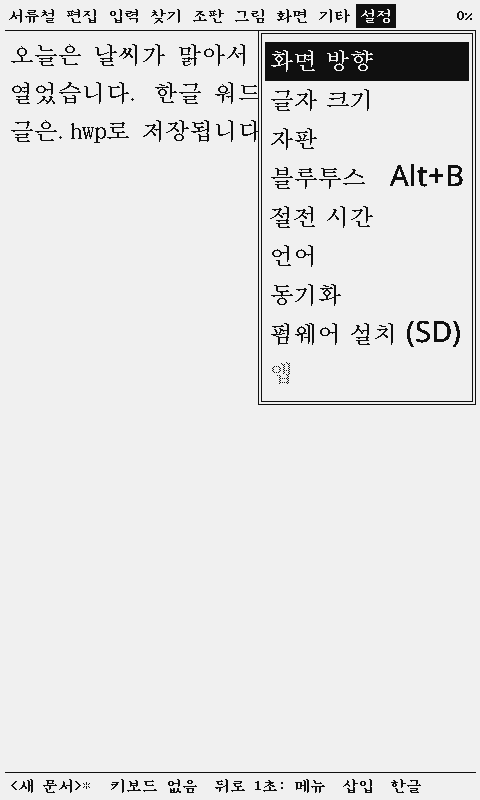
miniXWP's 설정 → 펌웨어 설치 (SD) picks a .bin at the root of the SD card and writes it into the other app's slot. In a dual boot that is CrossPoint's slot, so it asks "replace CrossPoint with …?" first. Use it to move CrossPoint to a newer version; miniXWP itself updates over USB or the flasher.
First start and keyboard
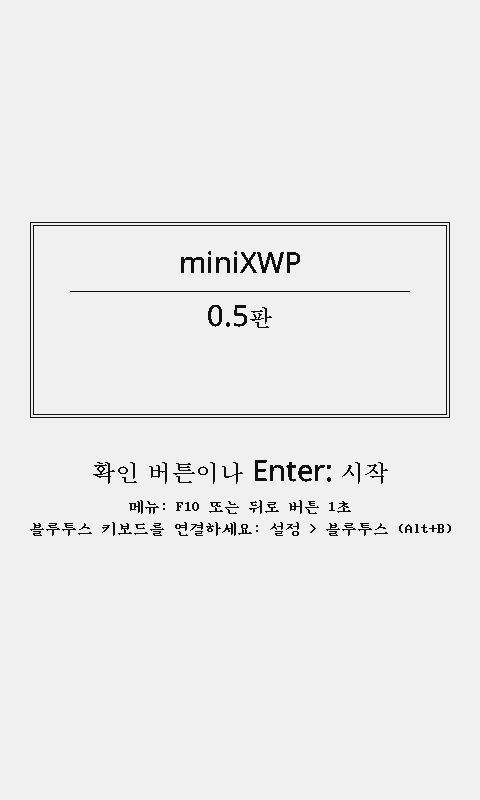
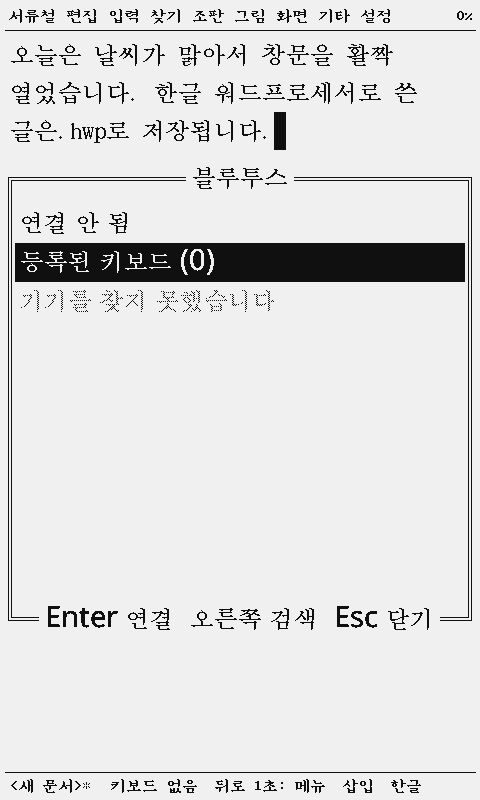
- The logo screen stays up with the start and menu hints, plus a connect-a-keyboard line while none is connected. Confirm or Enter opens an empty document.
- Put the keyboard in pairing mode, hold Back for 1 s to open the menu bar, go Left to 설정 → 블루투스. Right scans, Confirm connects.
- Only devices that broadcast a name are listed. If the keyboard is missing, make sure it is not attached to a PC or phone and is in pairing mode.
- Once connected the status line ends with 키보드 연결됨; the keyboard reconnects on later starts (up to four are remembered).
Device buttons
| Button | Action |
|---|---|
| Back, tap | Esc |
| Back, 1 s | F10 (menu bar) |
| Back, 5 s | Restart |
| Confirm | Enter |
| Up · Down · Left · Right | Arrow keys (repeat while held) |
| Power, 3 s | Sleep (hold Power again to wake) |
Korean and Hanja input
Korean composes on the device in Dubeolsik (or the layout chosen under 설정 → 자판). The status line ends with 한글/영문; Shift+Space toggles. The text font is a 16 px and 24 px bitmap Hangul font, switched with 크게/작게 in 글자모양 (Alt+L).
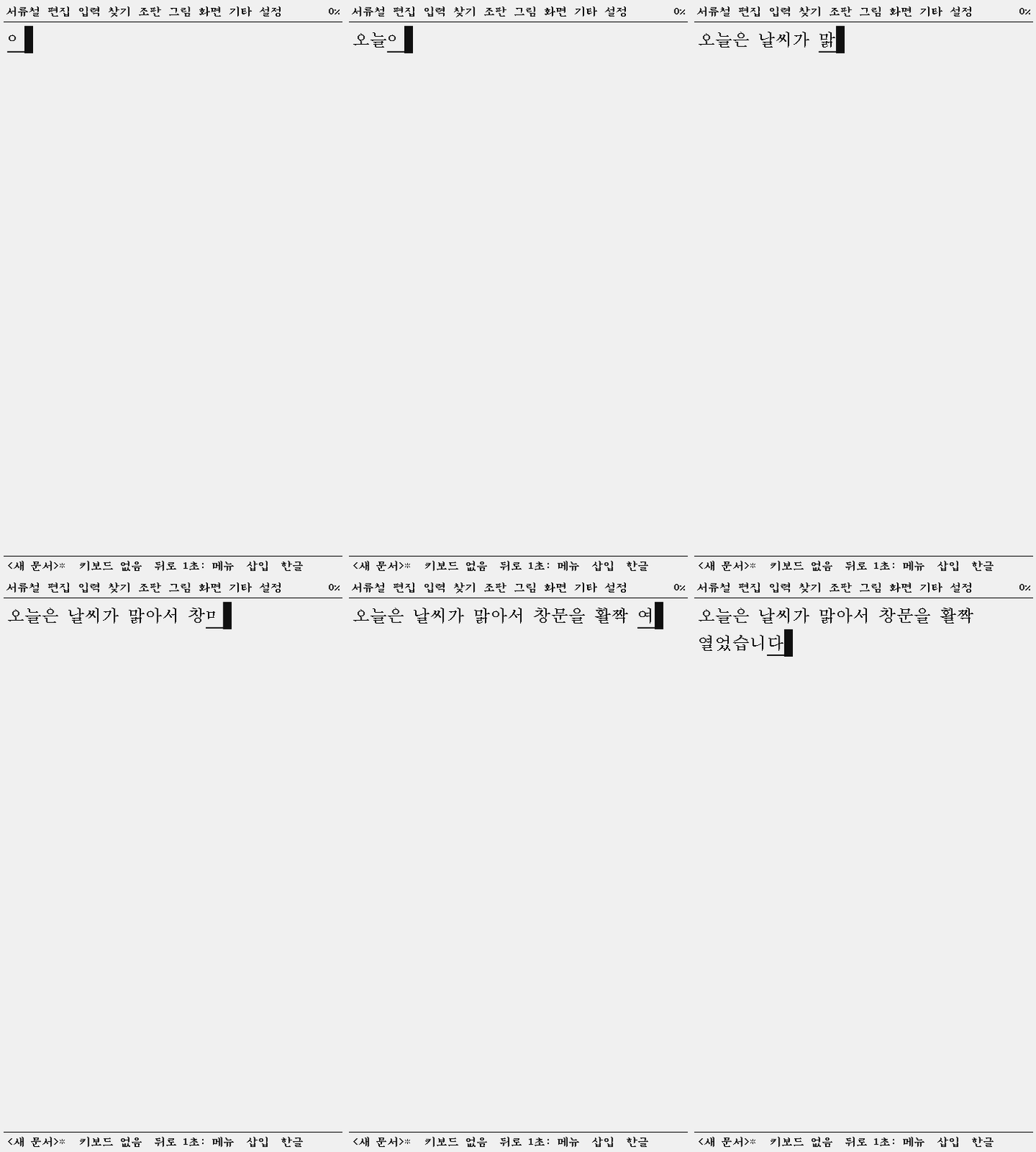
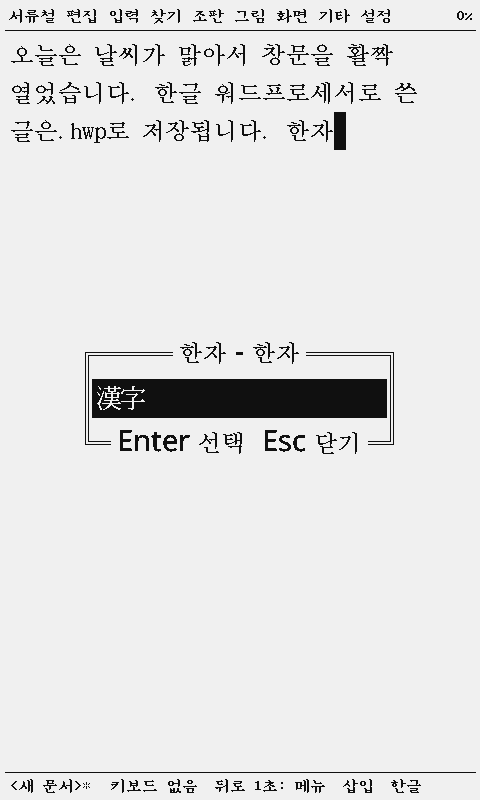
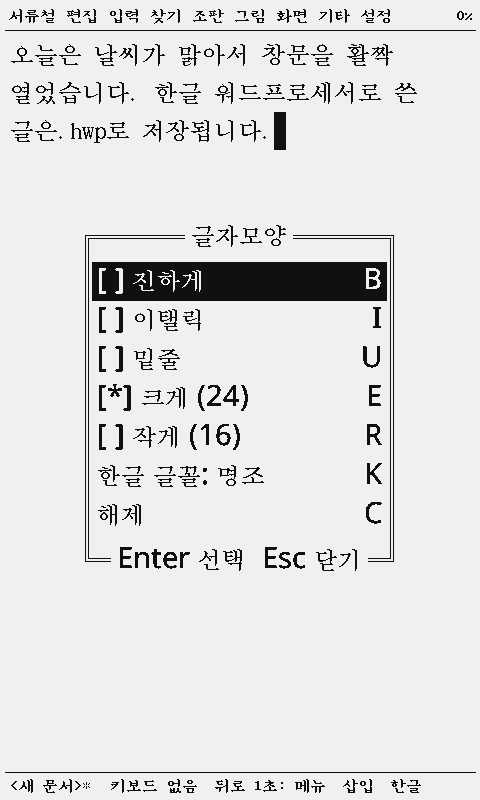
Screens were captured on the X4 in the x4prosim emulator. It has no Bluetooth, so keys were fed over USB; the Hangul composer and the editor are the real firmware.
| Key | Action |
|---|---|
| Shift+Space | Korean ↔ Latin |
| F9 | Hanja for the word (or syllable) before the caret: pick and Enter |
| Alt+L | Character shape: bold B, italic I, underline U, large E, small R, clear C |
| Alt+Shift+B / I / U | Toggle bold, italic, underline |
| Alt+T | Paragraph shape: left, center, right, indent |
| Backspace | Removes one jamo while composing |
The Hanja list tries a word lookup first, then the last syllable's Hanja. Arrow keys, space and punctuation end the composition.
Menus and shortcuts
F10 (or Back for 1 s) opens the menu bar; Left/Right change menus, Up/Down rows. Two-key chords such as Ctrl+Q F are Ctrl+Q, then F (the status line shows ^Q).
| Key | Action |
|---|---|
| F10 · Back 1 s | Menu bar |
| Alt+N · Alt+O | New · Open |
| Alt+S · Alt+V | Save · Save as |
| Alt+X | Exit (asks to save, then an empty document) |
| F3 | Block start/end (extend with arrows) |
| Ctrl+C · Ctrl+X · Ctrl+V | Copy · Cut · Paste |
| Ctrl+E | Erase the block, or the line |
| Ctrl+Q F · Ctrl+Q A · Ctrl+Q G | Find · Replace · Go to line |
| Ctrl+J | Page break |
| Ins | Insert ↔ Overwrite |
| Ctrl+A | Select all |
| Alt+B | Bluetooth box |
| Alt+F10 | Apps: to CrossPoint |
| F1 | Key help |
Document files
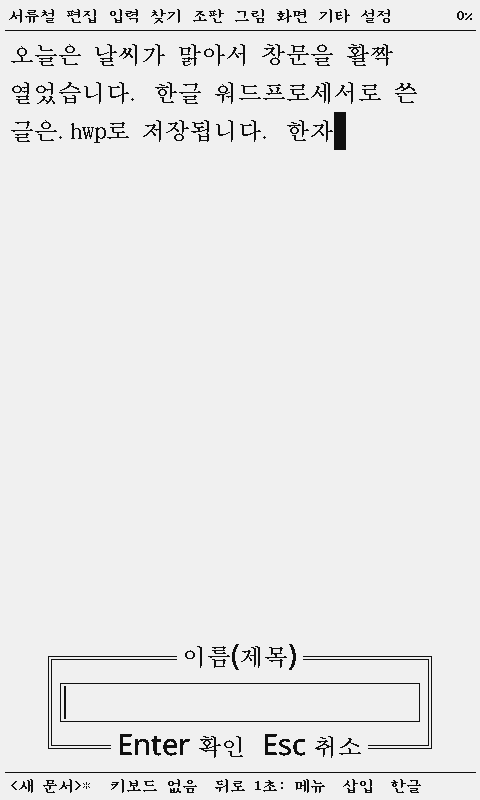
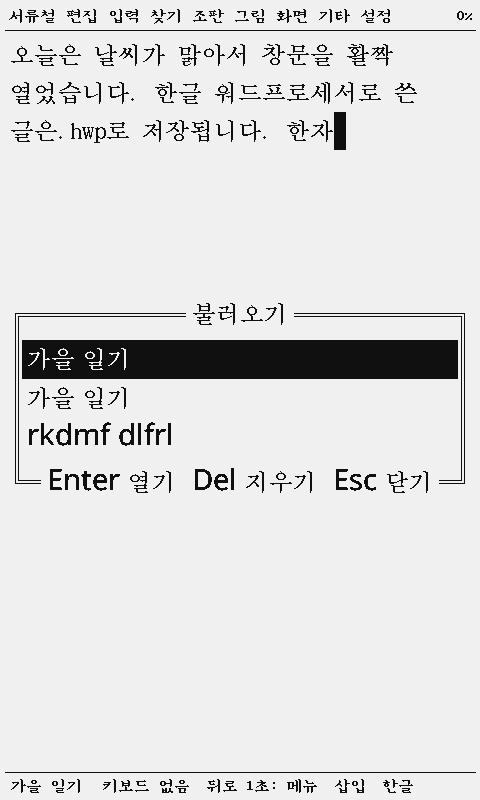
- Documents live in
/noteson the SD card as .hwp. The title is the file name, Korean included; the first save of an unnamed document asks for one. - Auto-save after 10 s of no typing; 끝 (Alt+X), 새 글 and 앱 ask first when there are unsaved changes.
- The 불러오기 (Alt+O) box lists titles. Del deletes, typing a letter jumps to titles starting with it. MicroSlate's .txt notes open too.
- 문서요약 shows the title, character count, pages, file name and size.
- 설정 → 동기화 downloads the documents to a PC on the same Wi-Fi (device → PC).
HWP 3.0 is the old format that 한/글 97 and later read. Character and paragraph shapes and page numbers are saved with the text.
Switching with CrossPoint
- CrossPoint → miniXWP: Home → Apps → miniXWP restarts into it.
- miniXWP → CrossPoint: 앱 (Alt+F10) under 서류철 or 설정. Unsaved changes are asked about first.
- Both firmwares share the SD card. The keyboard pairing belongs to miniXWP and does not affect CrossPoint.
More
- miniXWP repository: source and build notes (MIT)
- Report a problem: GitHub issues
- MicroSlate Korean guide: the firmware it is built on